



Now vibe coding, so learning hammer FE ?
#React #文章 本文探讨了单页应用(SPA)的定义、实现方式及其存在的问题。SPA旨在通过不刷新页面来保留JavaScript状态,实现快速加载。然而,随着页面和UI的增加,SPA的bundle大小会增大,导致加载时间变长。代码分割和懒加载虽能缓解这一问题,但会引入新的数据获取延迟。文章还讨论了框架如Next.js和React Router Framework如何通过服务器端渲染(SSR)和客户端导航来解决这些问题,提供了一种SPA和多页应用(MPA)的混合解决方案。
https://reacttraining.com/blog/understanding-spas-and-their-shortcomings
https://reacttraining.com/blog/understanding-spas-and-their-shortcomings

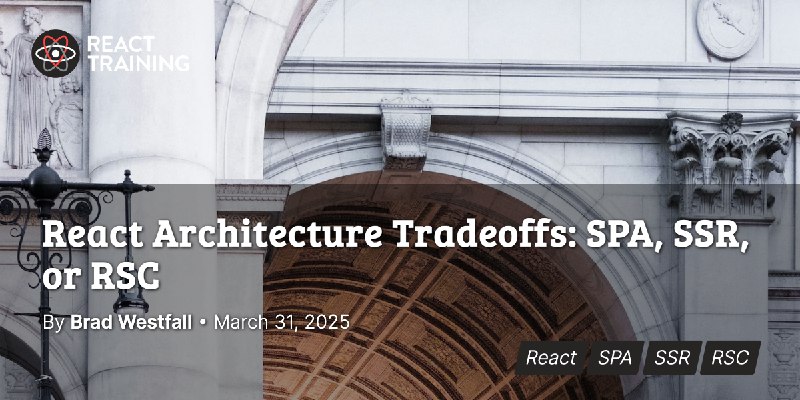
#React #文章 本文主要对比了React单页应用(SPA)、服务器端渲染(SSR)以及React服务端组件(RSC)三种架构方式。作者指出,React团队推荐使用框架而非纯SPA,因为框架能解决SPA在性能、SEO、数据获取和架构复杂性等方面的问题。
https://reacttraining.com/blog/react-architecture-spa-ssr-rsc
https://reacttraining.com/blog/react-architecture-spa-ssr-rsc
#React #文章 根据用户的设备和网络条件提供最佳的视频格式。这种技术在性能优化方面具有显著优势,并且通过React和Dash.js可以轻松实现。
https://www.smashingmagazine.com/2025/03/adaptive-video-streaming-dashjs-react/
https://www.smashingmagazine.com/2025/03/adaptive-video-streaming-dashjs-react/
#React #文章 讨论了 vite-ssg-react ,这是尝试配置 Vite 以便我们能够使用 React 编写静态网站的方法。
https://blog.carlosn.com.br/post/writing-static-websites-with-vite-and-react/
https://blog.carlosn.com.br/post/writing-static-websites-with-vite-and-react/
#开源 #文章 styled-components 进入维护状态。
- React 核心团队已决定事实上弃用某些 API,例如 Context API(在 RSC 中不可用,且没有迁移路径。)
- 总体而言,生态系统已基本脱离 css-in-js 概念,而 tailwind 等其他技术的普及度则呈现爆炸式增长。
- quantizor (自 2018 年左右以来一直是 styled-components 的核心维护者)不再在大型应用程序中积极部署 styled-components 的生产,因此在实际产品中的使用环境将持续减弱并最终完全停止。
https://opencollective.com/styled-components/updates/thank-you
- React 核心团队已决定事实上弃用某些 API,例如 Context API(在 RSC 中不可用,且没有迁移路径。)
- 总体而言,生态系统已基本脱离 css-in-js 概念,而 tailwind 等其他技术的普及度则呈现爆炸式增长。
- quantizor (自 2018 年左右以来一直是 styled-components 的核心维护者)不再在大型应用程序中积极部署 styled-components 的生产,因此在实际产品中的使用环境将持续减弱并最终完全停止。
https://opencollective.com/styled-components/updates/thank-you
#Node TSC 决定从未来版本(25 及以上)的 Node.js 中移除 Corepack,但 Node.js 24 及更早版本仍将包含 Corepack 作为实验性功能。
https://socket.dev/blog/node-js-tsc-votes-to-stop-distributing-corepack
https://socket.dev/blog/node-js-tsc-votes-to-stop-distributing-corepack
#开源 #AI 一个基于 UI-TARS(视觉-语言模型)的 GUI 代理应用程序,允许您使用自然语言控制您的计算机。需要配置模型,输入自己的 API KEY,目前仅支持 OpenAI 和 Claude
https://github.com/bytedance/UI-TARS-desktop
https://github.com/bytedance/UI-TARS-desktop
#开源 Lightpanda 浏览器是一款开源、超快、低内存的无头浏览器,专为网络自动化、AI训练和测试而设计。同时也兼容Playwright、Puppeteer。速度却是chrome headless的11倍
https://lightpanda.io/
https://lightpanda.io/
#文章 GitHub工程师学习新代码库的策略,包括直接与代码交互、与他人合作学习、通过文档和知识管理来巩固理解,以及通过教授他人来验证自己的理解。这些方法适用于不同经验水平的工程师,有助于他们更快地熟悉新代码库。
1. Start with “Good First Issues”(从“适合新手的问题”开始)
2. Learn with GitHub Copilot(使用GitHub Copilot学习)
3. Analyze telemetry and metrics(分析遥测和指标)
4. Explore through testing(通过测试探索)
5. Pair program(结对编程)
6. Understand the “why”(理解“为什么”)
7. Create personal documentation(创建个人文档)
8. Build technical maps(构建技术地图)
9. Maintain a command cheat sheet(维护命令备忘单)
10. Gather information on the domain(收集领域信息)
11. Write internal guides(编写内部指南)
12. Regularly reflect on your learning(定期反思你的学习)
https://github.blog/developer-skills/application-development/how-github-engineers-learn-new-codebases/
1. Start with “Good First Issues”(从“适合新手的问题”开始)
2. Learn with GitHub Copilot(使用GitHub Copilot学习)
3. Analyze telemetry and metrics(分析遥测和指标)
4. Explore through testing(通过测试探索)
5. Pair program(结对编程)
6. Understand the “why”(理解“为什么”)
7. Create personal documentation(创建个人文档)
8. Build technical maps(构建技术地图)
9. Maintain a command cheat sheet(维护命令备忘单)
10. Gather information on the domain(收集领域信息)
11. Write internal guides(编写内部指南)
12. Regularly reflect on your learning(定期反思你的学习)
https://github.blog/developer-skills/application-development/how-github-engineers-learn-new-codebases/